Does KeyTracker work with any application?
Yes. KeyTracker captures inputs at system level on macOS and Windows: it works with DaVinci Resolve, Premiere Pro, Blender, games, and any desktop application.
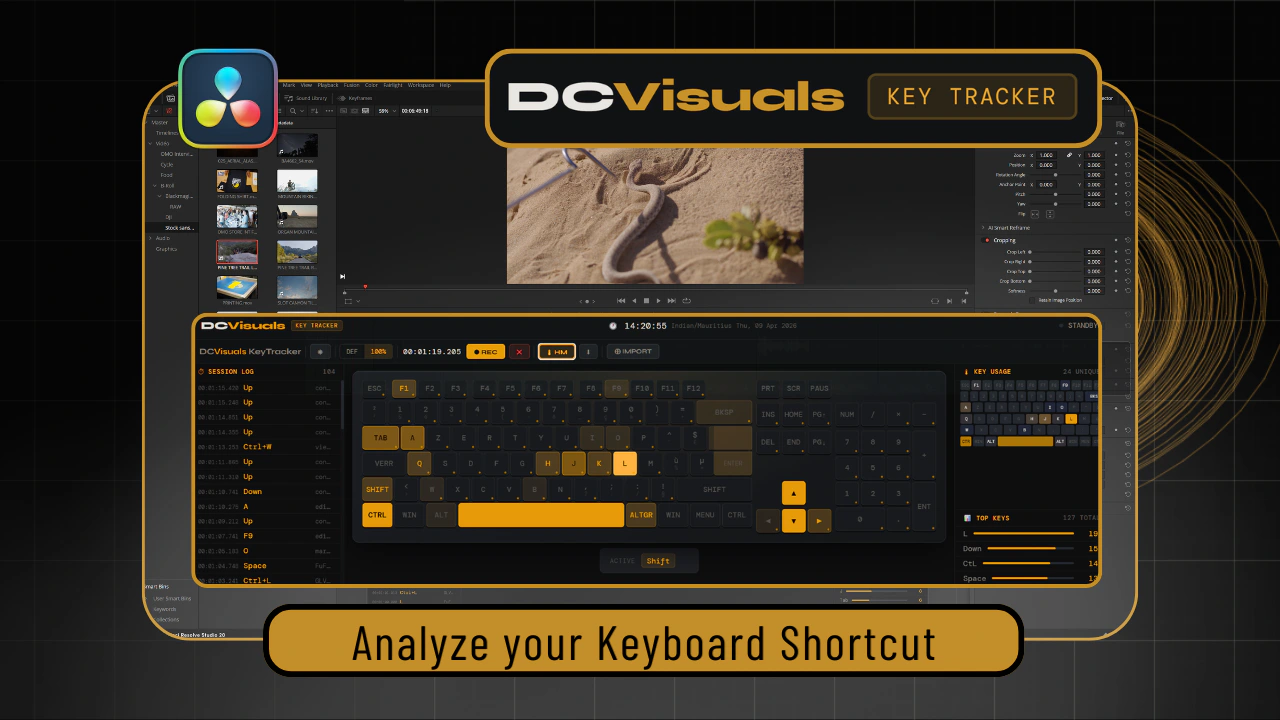
Your keyboard speaks: KeyTracker shows you what it says.
Real-time tracking, overlays, session logs and visual exports for trainers, streamers, gamers and speedrunners.
KeyTracker was designed for 100% keyboard-driven creative workflows: DaVinci Resolve first, but it proved useful far beyond that.
Show your shortcuts clearly during your training sessions or live demonstrations. Your students see exactly what you press, without having to look at your physical keyboard.
Integrate a clean keyboard overlay into your OBS scene. Show your inputs to your audience in real time, with a theme that matches your visual identity.
Prove your inputs. Analyze your combos. Speedrunners use keyboard overlays for run transparency and technique verification. KeyTracker adds an analytics layer that free tools do not have.
Two screenshots, two contexts. The Free version inside DaVinci Resolve: training and editing workflow. The Pro version in a gameplay context with the Gamer Theme overlay.

KeyTracker captures every keystroke, identifies combinations, counts occurrences and displays everything in real time, without modifying any file on your system.
A real DaVinci Resolve demonstration: a 100% keyboard-driven editing workflow, Session Log, AZERTY heatmap and Top Keys.
Green features ✓ are available in the Free version. Amber features are planned for the future Pro version.
macOS · Windows 10 / 11 · No network access required · No modification of your source files
NohBoard, Input Overlay, KeyPress Hero, Keystroke Pro — all provide real-time overlays. None combines session analytics, preset import and educational export in a single interface.
| Feature | KeyTracker Free |
KeyTracker Pro |
NohBoard | Input Overlay (OBS plugin) |
Keypress Hero |
Keystroke Pro |
|---|---|---|---|---|---|---|
| Price | €0 (PWYW) | Coming soon | Free | Free | Free * | €19.99 macOS only |
| License | Proprietary | Proprietary | GPL | GPL | Proprietary | Proprietary |
| Real-time overlay | ✓ | ✓ | ✓ | ✓ | ✓ | ✓ |
| Transparent OBS Streamer Mode | ✗ | Via capture | Via capture | ✓ | Via capture | ✓ |
| Visual themes | ✓ | ✓ | ✓ | ✓ | ✓ | ✓ |
| Session analytics & Top Keys | ✓ | ✓ | ✗ | ✗ | ✗ | ✗ |
| Timestamped Session Log | ✓ | ✓ | ✗ | ✗ | ✗ | ✗ |
| Shortcut preset import (TXT) | ✓ | ✓ | ✗ | ✗ | ✗ | ✗ |
| Advanced per-session reporting | ✗ | ✓ | ✗ | ✗ | ✗ | ✗ |
| PNG heatmap export | ✓ | ✓ | ✗ | ✗ | ✗ | ✗ |
| PDF · JSON · CSV · TXT export | ✗ | ✓ | ✗ | ✗ | ✗ | ✗ |
| Multilingual layout | ✓ | ✓ | Partial | Partial | ✗ | ✓ |
| Designed for training | ✓ | ✓ | ✗ | ✗ | ✗ | ✓ |
| Mouse tracking | ✗ | Roadmap | ✓ | ✓ | ✗ | Cursor Pro +€19.99 |
Yes. KeyTracker captures inputs at system level on macOS and Windows: it works with DaVinci Resolve, Premiere Pro, Blender, games, and any desktop application.
Yes. The French ISO AZERTY layout has been crafted with precise pixel-by-pixel work. It is one of the best-supported layouts in the tool: designed by a French-speaking user.
The Free version provides real-time tracking, preset import (.txt), Dual Overlay, and simple PNG export. The Pro version adds Streamer Mode (transparency), advanced exports (Json, Csv, Txt, Pdf), and floating side panels.
KeyTracker records the keys pressed during the active session. No data is sent to any server. Everything stays local on your machine. Be careful not to stream passwords while the overlay is active.
In DaVinci Resolve, go to Keyboard Customization / Export. You will get your preset as a .txt file. Do the same for your other software or video games.
And for those that cannot export: create a simple TXT file with your bindings in the format Action := KEY, then one line per shortcut. Import these presets via the IMPORT button in the interface.
The shortcuts will then appear in the Session Log and in the Active Panel (below your virtual keyboard).
Yes. KeyTracker is available on macOS · Windows 10 / 11.
Next update, becoming a beta tester, taking part in the project...
The Free version is available right now via Gumroad: pay what you want. The Pro / Streamer version will be available soon.